Did you know that if you press the “CTRL” key while right clicking on a Scale-out Backup Repository, you get additional menu options to proactively run a Tiering Job or kick off an extent rebalance?
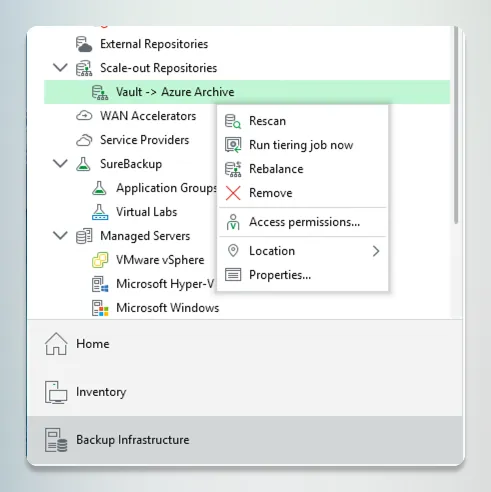
Did you know that if you press the “CTRL” key while right clicking on a Scale-out Backup Repository, you get additional menu options to proactively run a Tiering Job or kick off an extent rebalance?
TUIs are back—Claude, nmtui, etc. Could terminal UIs be the next big thing for #VBR?
Imagine opening your console, running a command, and keyboard-navigating your backup dashboard to inspect runs or repo storage.
Reality? Or a bad April Fools joke? #Veeam100 #Keeah #Veeam
Manual #Veeam audits for VDC Vault migrations are a total slog. I got tired of clicking through 100s of jobs to check encryption and retention, so I built a local analyzer tool to do it for me. Drop in a HealthCheck JSON and see your blockers. buff.ly/YibmAsg #VeeamCommunity #VDCVault
Microsoft Defender scanning a 4TB .vbk file is a great way to kill your backup performance. I got tired of manually adding the 50+ exclusions from KB1999 every time I built a server. So I scripted it. Smartly. buff.ly/LIl0mfN #VeeamCommunity #Veeam #MVPBuzz #PowerShell
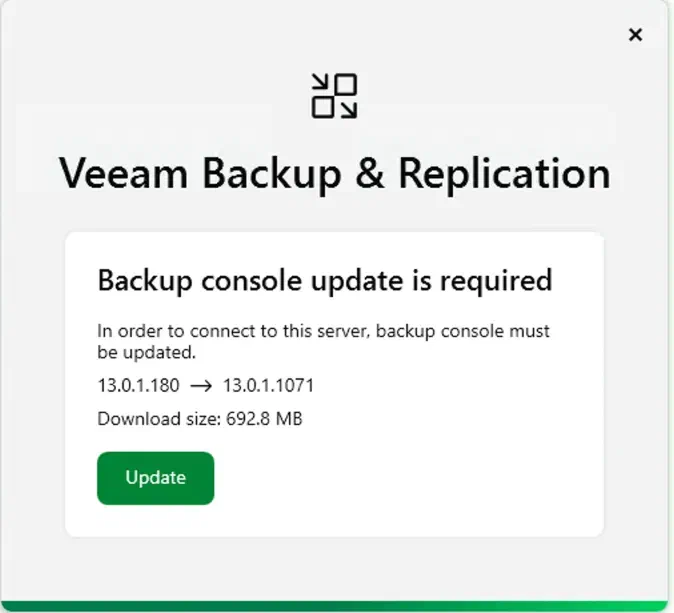
It’s the little things that win me over. In #Veeam v13, the #VBR console finally handles its own updates. No more digging for ISOs or manual installs after patching the server. Just connect, click update, and you’re back in. Huge time saver for the lab. #VeeamCommunity #MVPBuzz